Email your Spinrun agents the way you would email someone on your team. The agent can read the message, use its tools, and reply in the same thread.
Email is still where a lot of operational work begins. People forward requests, copy teammates, add context, send follow-ups, and expect the next step to happen without opening another product.
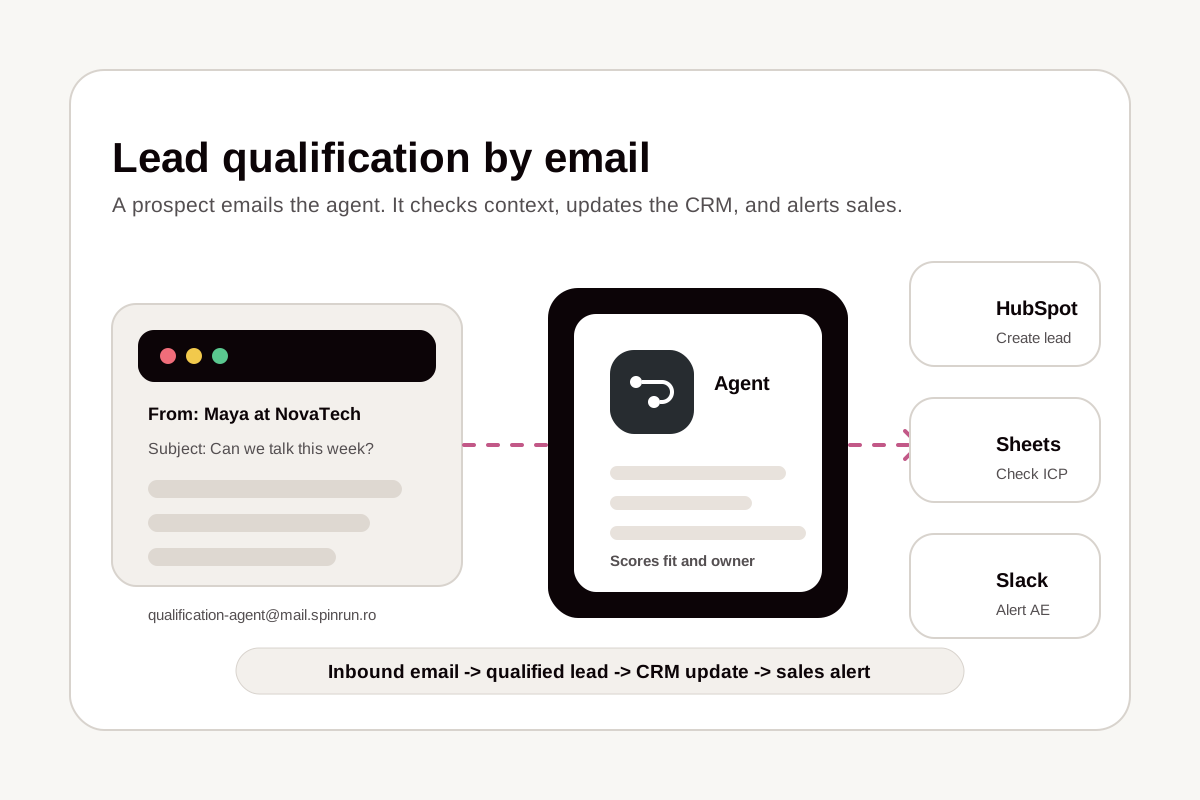
Now every Spinrun agent can have its own email inbox. Enable the channel, use the generated alias on agent.spinrun.ai, and send work to the agent from the place where the request already lives. The agent receives the message, runs with its configured instructions and tools, and sends the result back by email.
Here are a few ways teams can use agent inboxes:
- RFPs and security questionnaires: Forward a long questionnaire to your deal desk agent. It can draft standard answers from approved context, flag questions that need a human, and return a clean response plan.
- Cold inbound triage: Send unknown inbound messages to a research agent. It can identify the sender, summarize what they want, check whether your team has context, and draft a suggested reply.
- Vendor proposals and contracts: Loop in a procurement agent when a vendor sends a proposal. It can summarize the commercial terms, call out risks, and organize the next review step.
- Hiring screens: Send candidate details or a recruiter intro to a hiring agent. It can compare the candidate against the role, summarize relevant experience, and suggest follow-up questions.
Because the agent is part of the email conversation, the workflow stays natural. You can forward a request, reply with more context, or bring someone else into the thread without moving the work into a separate chat.
Setting up and using an email inbox
Open an agent in Spinrun, go to its Email Inbox page, and enable the inbox. Spinrun gives the agent an address on agent.spinrun.ai that you can copy and share with the people who should be allowed to use it.
The inbox uses the same agent instructions, connected apps, and tools that the agent already has. Email is another channel into the same worker, alongside the Spinrun app and any other channels you have configured.
Threading works the way email users expect. Replies stay connected to the original message, so the agent can continue a back-and-forth without losing the request history. If a user adds more detail later, the next turn includes that context before the agent responds.
Access controls stay in place. The inbox checks who is allowed to reach the agent before running a turn, and senders outside the allowed scope are declined instead of triggering work.
If you want to try it, open any agent and look for Email Inbox in the agent sidebar.